PDF Brif
A service for structured client briefs. Instead of chaotic messages — clear forms, input rules, and automatic PDF brief generation with an option to send it to Telegram.
Client
Borysenko Design
Year
2024
Services
UI/UX DesignDevelopmentWeb App
rule
Rules & structure
The first thing a user sees is clear brief-filling rules. This reduces ambiguity and helps clients understand what information is required.
- •Clear deadlines instead of vague phrases like “ASAP”.
- •Media requirements: formats, sizes, and storage location.
- •Structured text instead of chaotic descriptions.
- •Less time spent on clarifying project details.
Web AppFormsUX Guidelines

edit_note
Brief filling
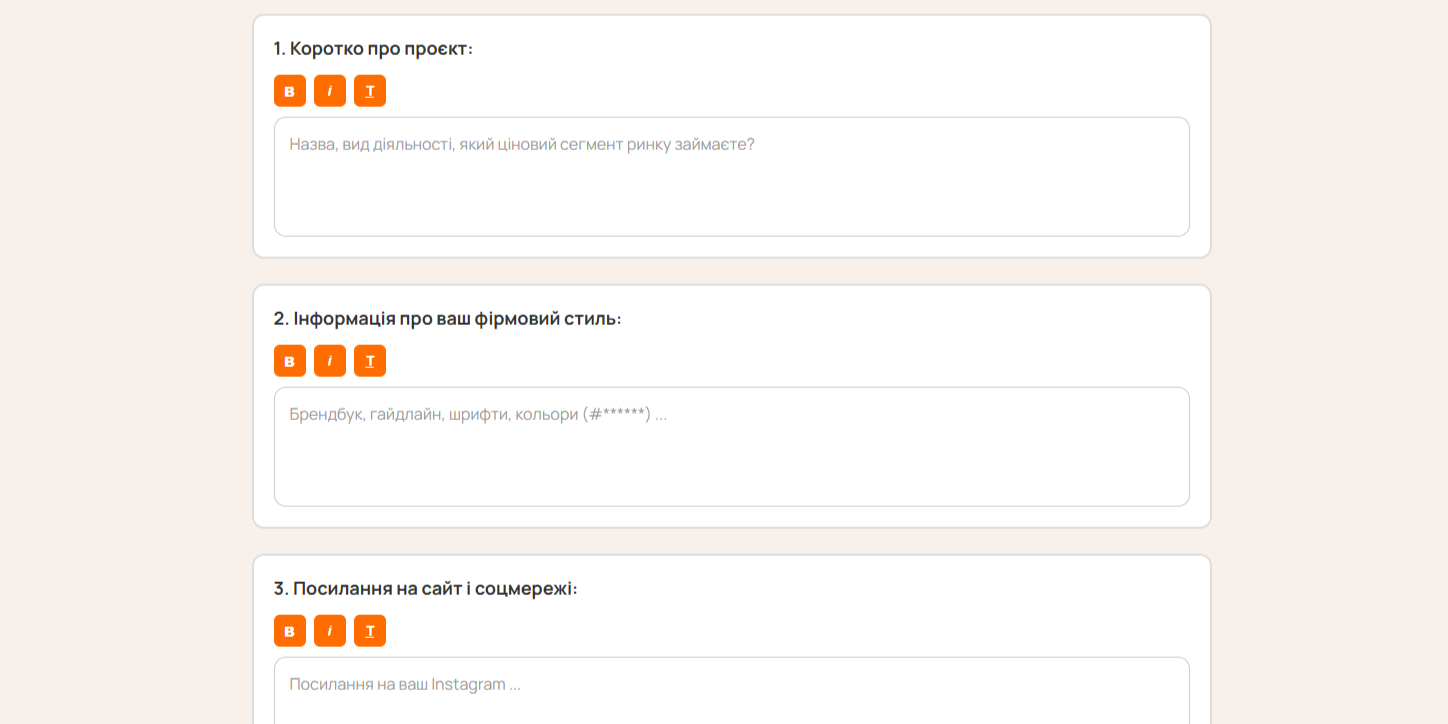
Structured forms for different project types: from static design to logos. Each field includes hints and examples for correct input.
- •6 brief types: static, presentation, print, video, logo, packaging.
- •Hints for each field with examples.
- •Text formatting buttons (bold, italic, underline).
- •Validation of required fields before submitting.
- •Switching between brief types.
ReactForm ValidationMultilanguage
cloud_done
Result & automation
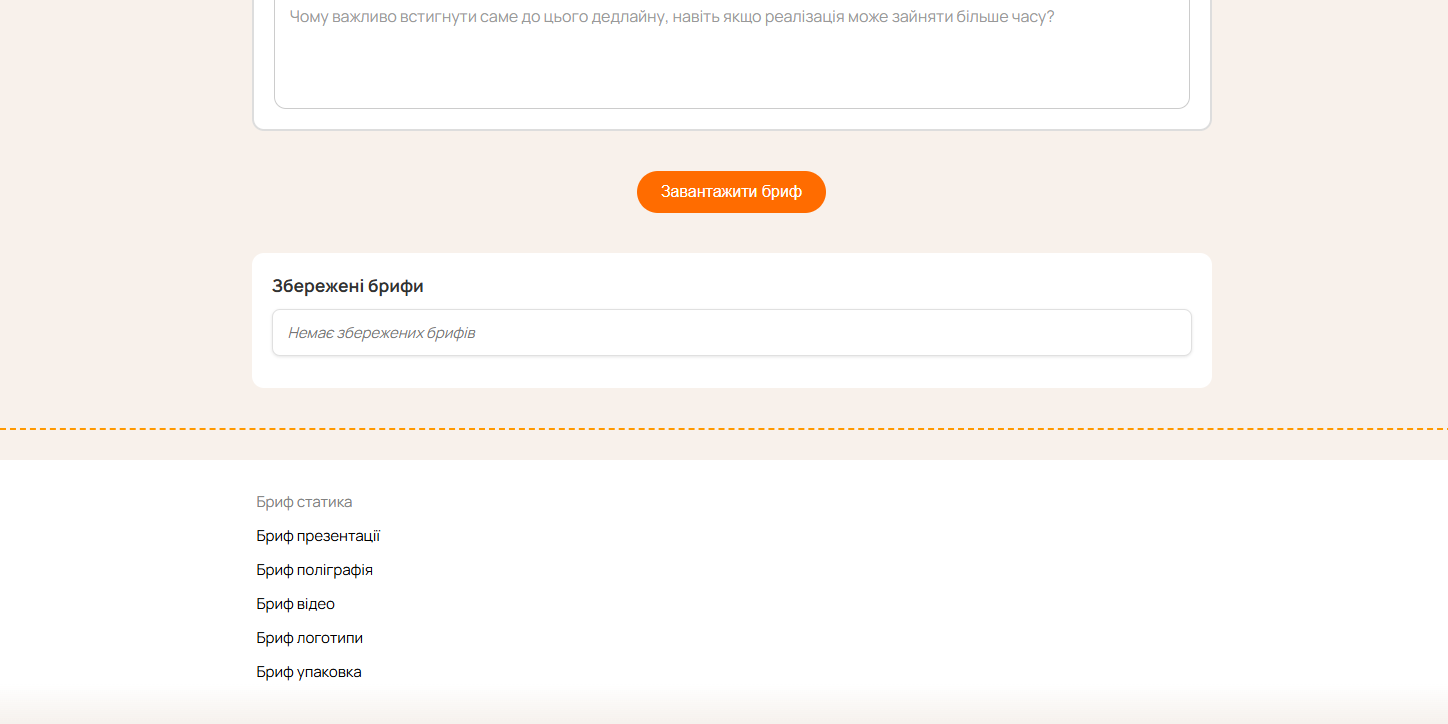
After filling the brief, it’s automatically converted into a PDF, saved in the system, and can be sent to Telegram or shared via a link.
- •Automatic PDF generation with branded layout.
- •Saving briefs for later reuse.
- •Sending the finished PDF to a Telegram bot.
- •Generating a public link to view the brief.
- •Export options for CRM integrations.
PDF GenerationTelegram APINode.js
Like this project?
Let’s discuss your next case